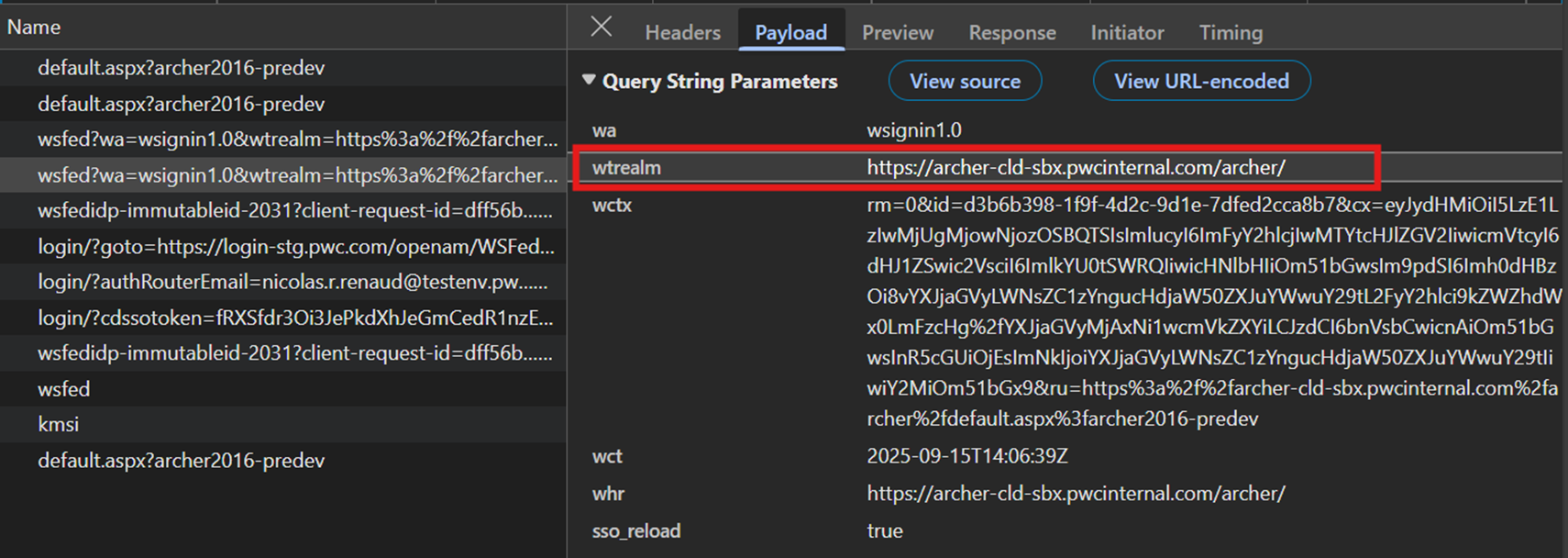
Client ID / Entity ID Retreival
Follow these steps to retrieve OpenAM Client IDs or Entity IDs, using browser developer tools in a private window.
Setup Browser
- Open your browser window in Incognito / InPrivate mode:
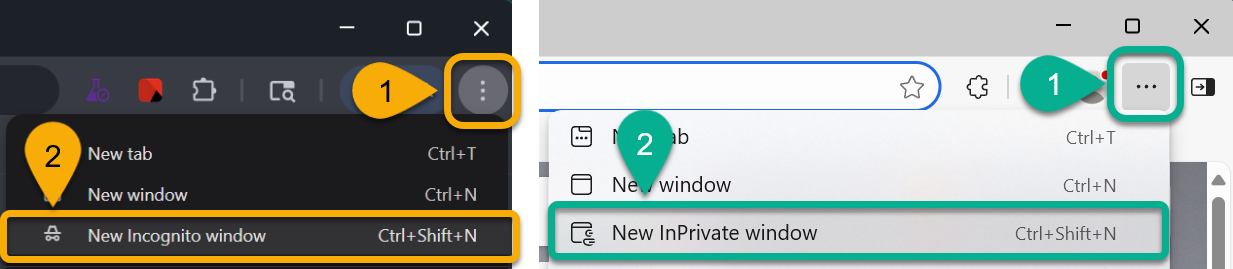
Regardless of whether using a ↖️ Chrome or Edge ↗️ browser, this prevents any mixture of sessions / cookies / data.
- Open Developer Tools, regardless of whether using a ↙️ Chrome or Edge ↘️ browser:
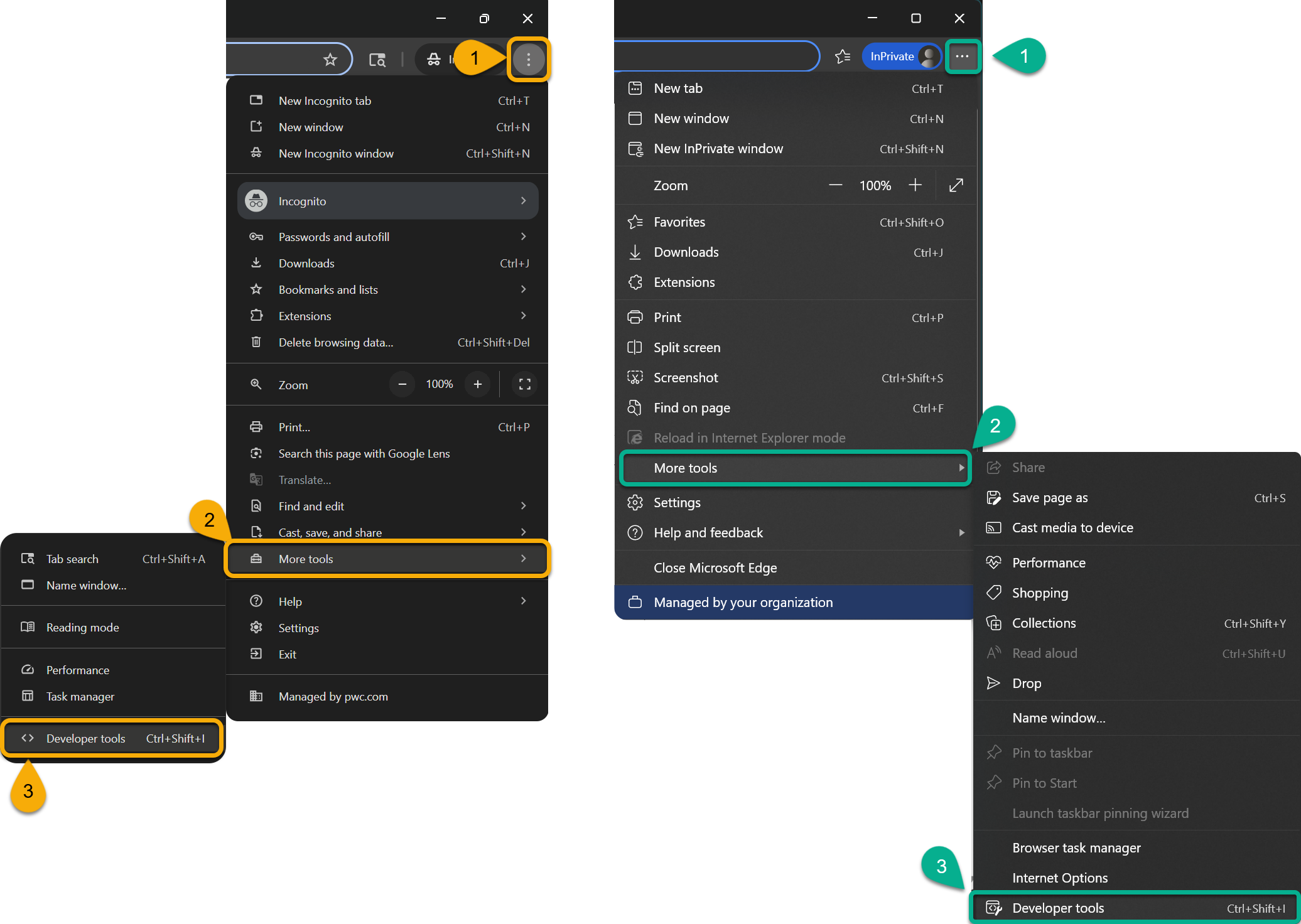
Look for the vertical ellipsis and select
More Tools>Developer Tools
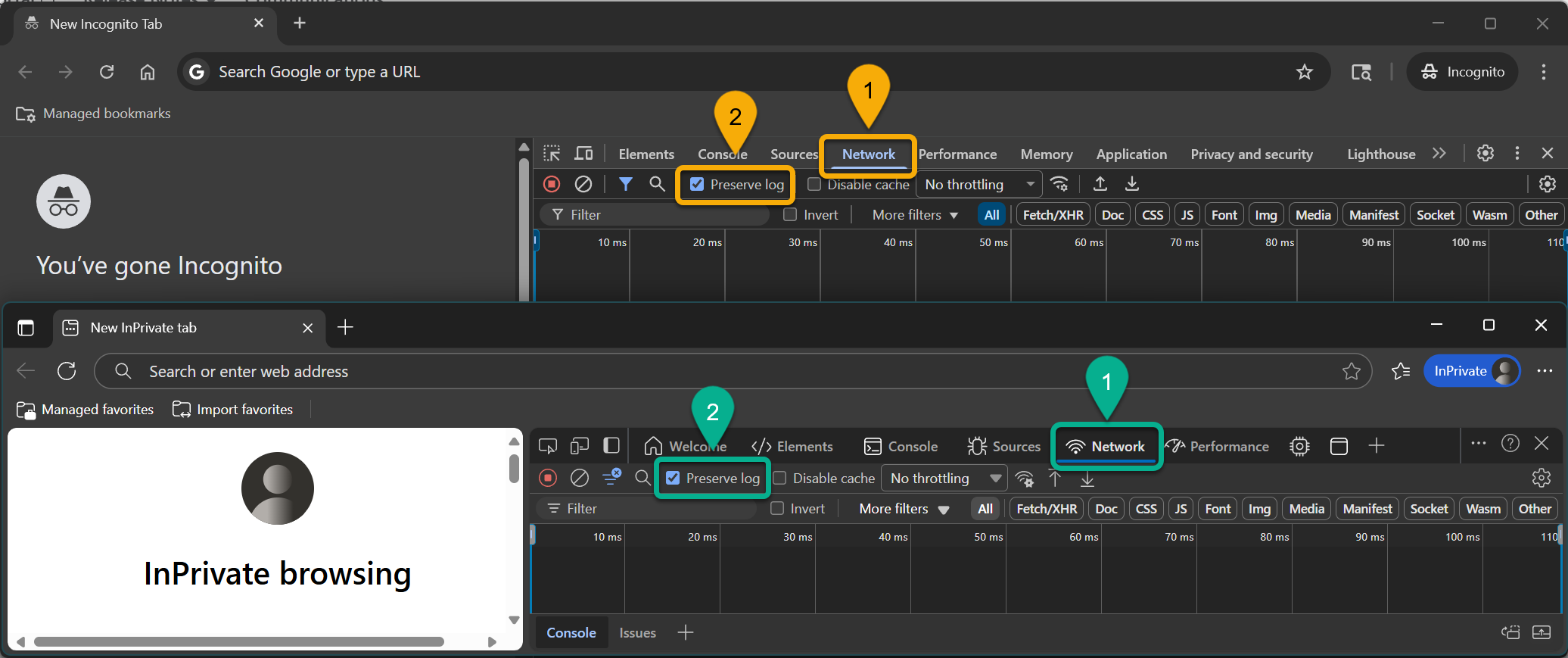
- Initiate a network trace by selecting the
Networktab, then checking the box toPreserve log:
same steps for either browser type
Initiate Login Request
- From the incognito / inPrivate browser, access your application's Login URL while the network requests are being recorded.
- For many applications, this simply requires clicking some variation of a button from the app's homepage.
- If the application has no discernable button, obtain the app's Authorization Endpoint from a member of the technical team, paste it directly into the incognito / inPrivate browser, and click
Enterto navigate to it.
- Authenticate with the application (sign-in) using your username, password and MFA where applicable.
The next steps will vary based on the application's authentication protocol.
Retrieve Information
Depending on whether this is an OAuth, SAML, or WsFed application, the network logs you're collecting will contain the application identifier you're looking for.
- OAuth Applications
- SAML Applications
- WsFed Applications
After authenticating in the incognito / inPrivate browser, under the same Network tab from earlier:
- Find the authorization endpoint request event
- Examine its
Payload - Retrieve the
client_idas configured for the application
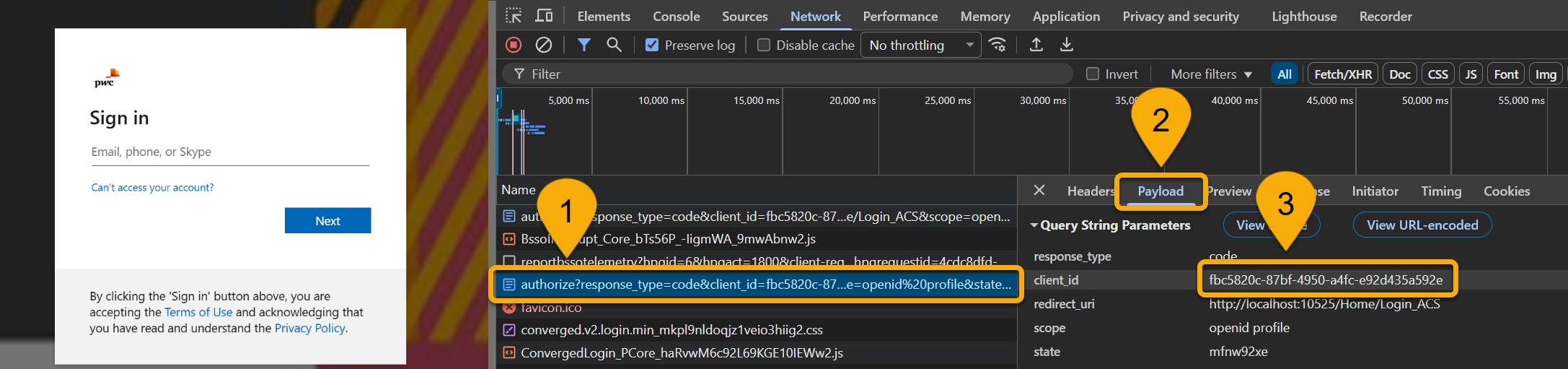
After authenticating in the incognito / inPrivate browser, under the same Network tab from earlier:
- Find the saml2 event ↙️ containing the Authorization Request URL ↘️
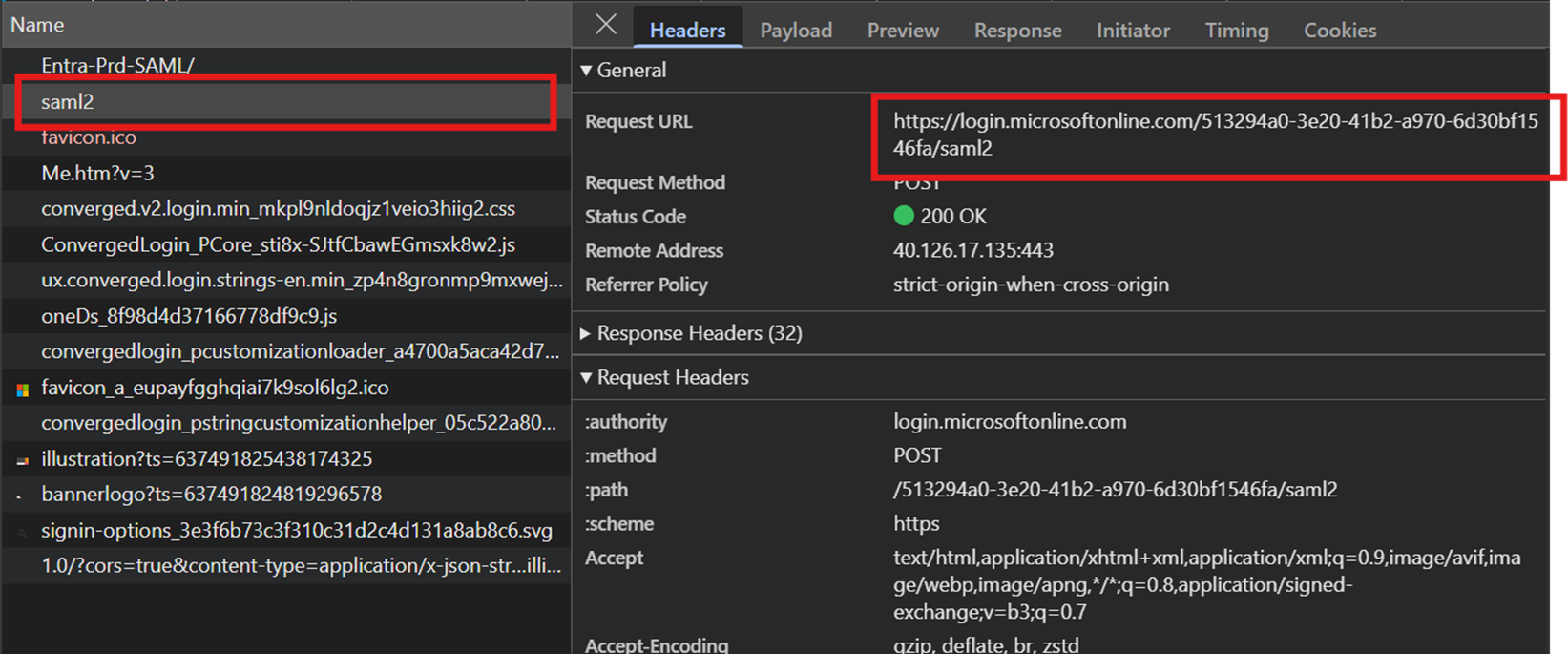
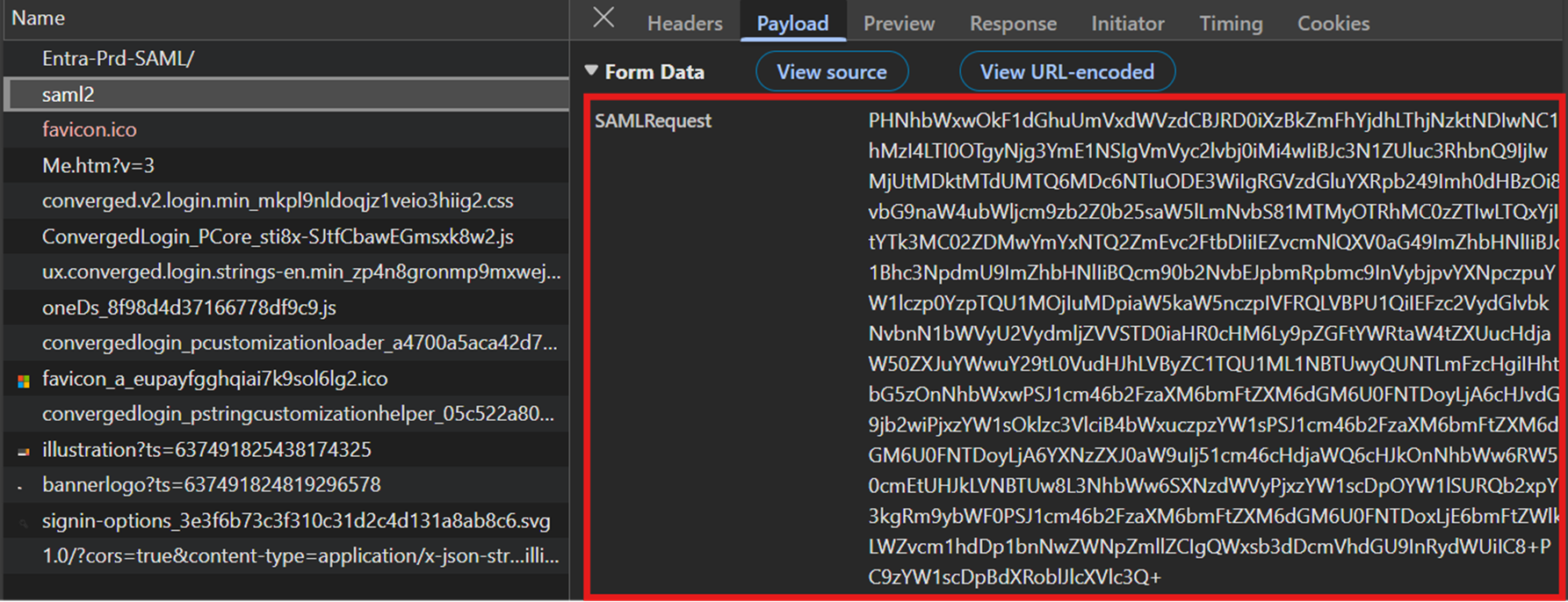
- Once identified, click the
Payloadtab and copy its entireSAMLRequest
- In a separate browser tab, navigate to
https://www.samltool.io/, a tool used for decoding the SAML request and paste the SAML token as indicated below:
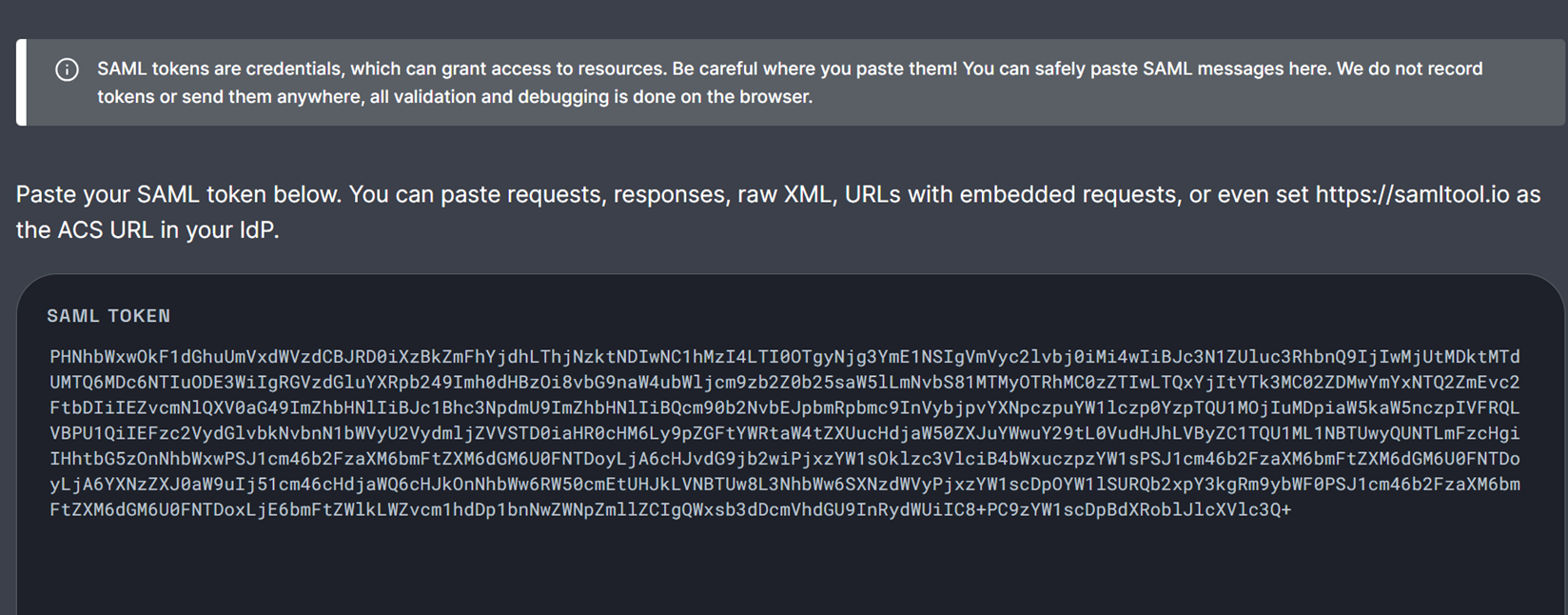
- Retrieve the
Entity Idfrom thesaml:Issuerclaim in the decoded token as indicated below:
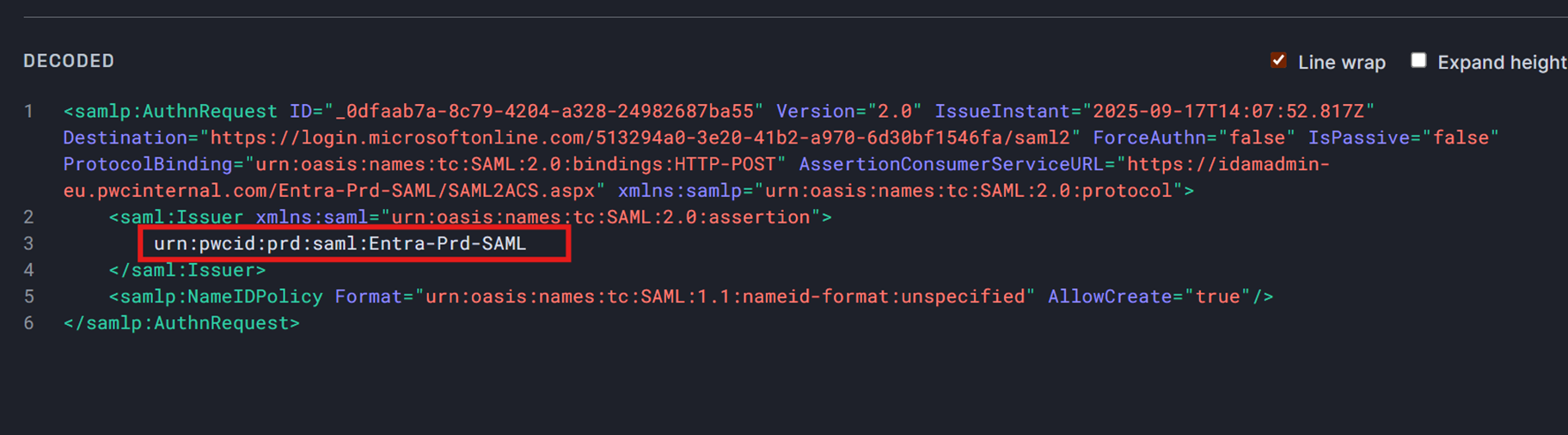
After authenticating in the incognito / inPrivate browser, under the same Network tab from earlier:
- Find the wsfed event ↙️ containing the Authorization Request URL ↘️
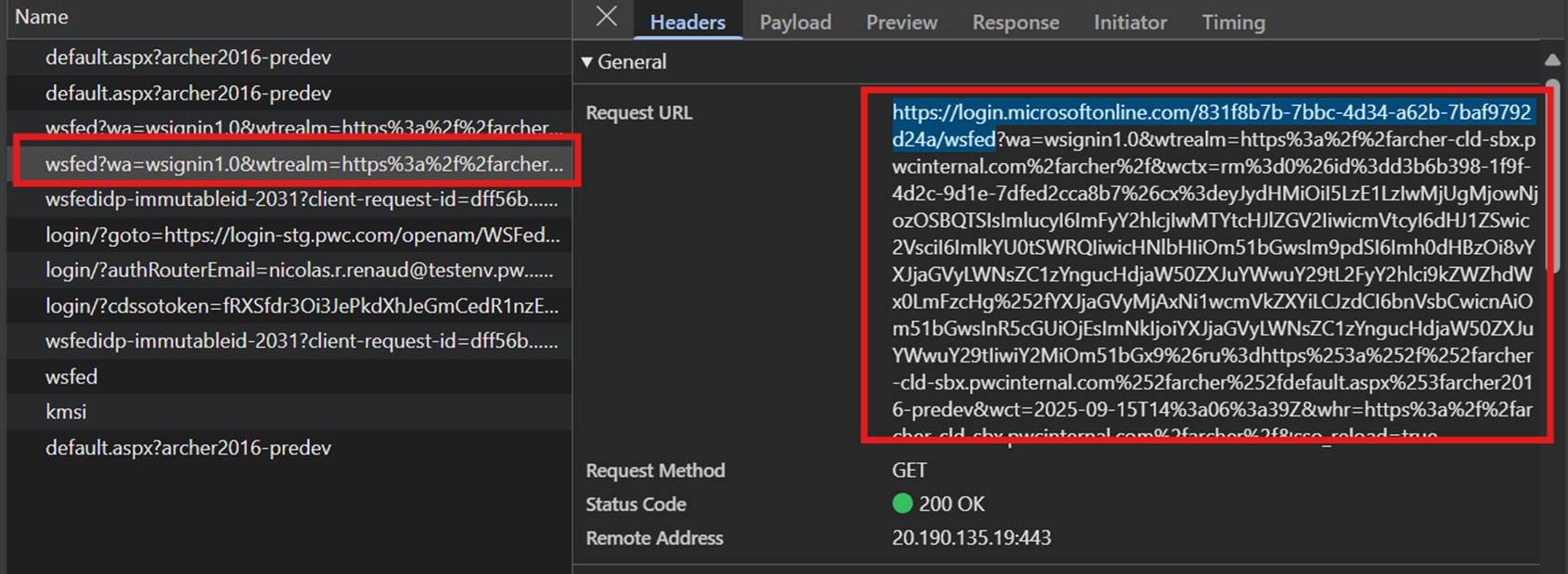
- Once identified, click the
Payloadtab, which will contain thewtrealmid configured for the application: